
A small workspace does not have to feel cramped, cluttered, or uninspiring. With the right desk, storage solutions, lighting, and accessories, even a compact corner can become a comfortable and functional place to work, study, create, or game.
The key is to make every part of the space work harder without filling every available surface. Instead of adding more furniture, focus on choosing appropriately sized pieces, using vertical space, managing cables, and keeping frequently used items within easy reach.
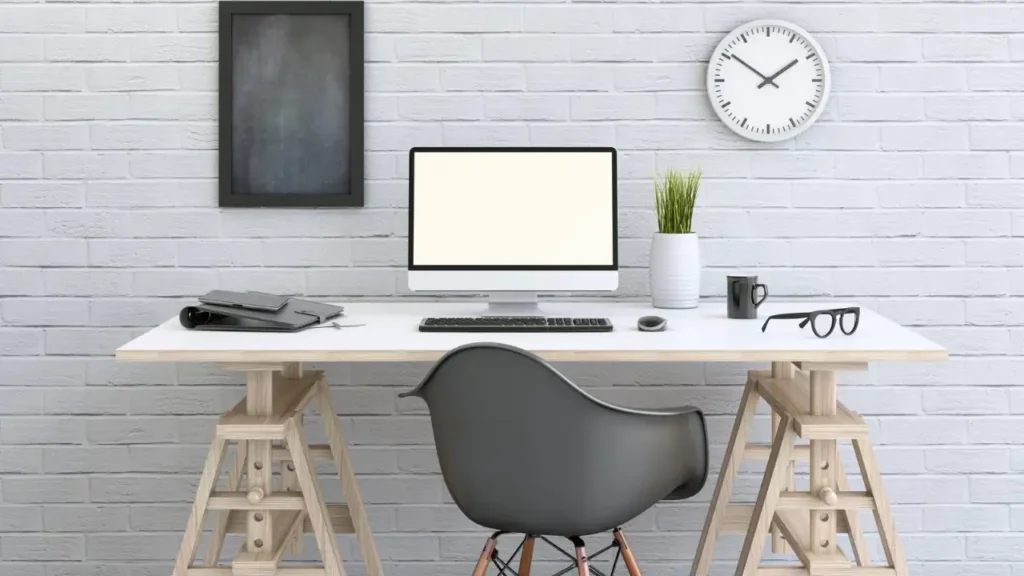
Whether you are furnishing a bedroom, apartment, home office, or multipurpose room, these small desk setup ideas can help you create a workspace that feels organized, practical, and personal.
Why a Small Desk Setup Can Still Be Functional
A small desk can provide everything you need when the setup is planned around your actual activities. The goal is not simply to make the desk look minimal; it is to make the available space useful.
Start by identifying what you use every day. A laptop user may need only a laptop stand, keyboard, mouse, lamp, and a small amount of storage. Someone working with a desktop computer may need more room for a monitor, keyboard, speakers, and other equipment.
Vertical storage can also dramatically increase usable space. Shelves, pegboards, wall organizers, and monitor arms can move items away from the desktop while keeping them accessible.
A functional compact workspace usually combines:
- Furniture that fits the available dimensions
- Vertical rather than purely horizontal storage
- Minimal desktop clutter
- Efficient cable management
- Multi-purpose accessories
- Comfortable lighting
- Enough room for natural movement
The best setup balances appearance and practicality instead of sacrificing one for the other.
25 Small Desk Setup Ideas for 2026
1. Choose a Desk That Fits Your Available Space
The foundation of any small desk setup is choosing a desk that actually fits the room.
Measure the available area before purchasing anything. Record the maximum width, depth, and height that will work comfortably. Also consider the space required for your chair, doors, drawers, and walking paths.
A desk that technically fits against a wall may still make a room feel cramped if there is not enough clearance around it.
Pay particular attention to desk depth. A narrow desk can be useful in a bedroom or hallway, but a desktop computer with a large monitor may require more front-to-back space.
Choose the smallest desk that comfortably accommodates your primary activities rather than choosing a desk based solely on appearance.
2. Use a Floating Desk to Free Up Floor Space
A floating desk can be an excellent space-saving desk setup for rooms where floor space is limited.
Because the desk is mounted to the wall, the area underneath can remain visually open. This can make a small bedroom or apartment workspace feel less crowded.
A floating desk can also work well with:
- Wall-mounted shelves
- Pegboards
- Compact drawers
- Cable management systems
- Foldable chairs
- Minimal desk accessories
Before installing one, make sure the wall and mounting hardware are appropriate for the desk and the intended load.
3. Try a Corner Desk Setup
Corners are often underused areas in small rooms. A thoughtfully planned corner desk setup can turn an awkward space into a dedicated work zone.
An L-shaped desk can provide additional surface area while keeping the footprint relatively efficient. For an even smaller space, a compact rectangular desk can sit directly in the corner with shelves above it.
Consider placing your monitor where you can view it comfortably without turning your body at an awkward angle. A corner lamp or wall-mounted light can provide illumination without consuming valuable desktop space.
4. Keep the Desktop Minimalist
One of the easiest ways to make a small desk feel larger is to reduce what stays on it.
Keep frequently used essentials within reach and move everything else into drawers, shelves, or nearby storage.
A basic minimalist arrangement might include:
- Computer or laptop
- Keyboard and mouse
- Desk lamp
- Notebook
- One small organizer
Decorative items can still have a place, but they should support the overall look rather than compete with the working surface.
A clear desktop also makes it easier to switch between different activities.
5. Mount Your Monitor to Save Desk Space
A monitor arm can be particularly useful for a small desk setup with a monitor.
Instead of using the monitor’s original stand, an appropriate monitor arm can lift the display off the desktop and create usable space underneath.
That area can then accommodate a keyboard, notebook, small storage tray, or other frequently used item.
A monitor arm can also make it easier to adjust the display position. Make sure the arm is compatible with your monitor and securely attached to a suitable mounting point.
6. Use a Laptop Stand
A laptop stand can make a compact workspace more versatile.
Raising the laptop can free up some space underneath or allow you to position an external keyboard and mouse more comfortably. It can also help bring the screen closer to a suitable viewing height.
For a very small desk, a foldable laptop stand can be particularly practical because it can be stored when the workspace needs to serve another purpose.
Choose a stable stand with a footprint appropriate for your desk.
7. Take Advantage of Vertical Wall Space
When horizontal space is limited, look upward.
Vertical storage can include:
- Floating shelves
- Pegboards
- Wall organizers
- Small cabinets
- Hooks
- Narrow bookcases
A shelf above the desk can hold books, small plants, notebooks, or decorative objects without consuming the primary work surface.
Keep frequently used items within easy reach and reserve higher shelves for things you use less often.
8. Add a Compact Desk Shelf
A desk shelf creates a second organizational level without requiring a larger desk.
You can place a monitor, speakers, small storage boxes, or decorative objects on the upper level while keeping the lower surface available for daily work.
For a compact setup, look for a shelf that is narrow enough to preserve usable keyboard and writing space.
This approach can be especially effective when wall mounting is not possible.
9. Hide Cables for a Cleaner Setup
Cable clutter can make even a carefully designed small workspace look messy.
Use simple cable management solutions such as:
- Cable clips
- Cable sleeves
- Under-desk cable trays
- Cable boxes
- Shorter cables
- Velcro cable ties
Group cables according to their purpose and avoid creating unnecessary cable loops.
If several devices are positioned close together, a carefully placed charging station can also reduce the number of cables crossing the visible desktop.
Good cable management for small desks improves both appearance and accessibility.
10. Use Under-Desk Storage
The area beneath a desk is often overlooked.
Depending on your layout, you can use:
- Slim drawers
- Rolling storage units
- Under-desk baskets
- Mounted organizers
- Small filing units
Avoid filling the entire area under the desk because you still need comfortable legroom.
Storage should support the workspace rather than make it difficult to sit down or move your chair.
11. Choose a Desk With Built-In Storage
If you need regular access to supplies, a desk with built-in storage can reduce the need for additional furniture.
Useful features include:
- Drawers
- Shelves
- Side compartments
- Hidden storage
Built-in storage is especially useful when the room is too small for a separate cabinet or drawer unit.
However, avoid choosing a bulky desk simply because it has more storage. Compare the amount of storage with the amount of floor and desktop space the furniture consumes.
12. Create a Small Bedroom Desk Setup
A small desk setup for a bedroom should feel like part of the room rather than an oversized office inserted into it.
Choose furniture that matches the bedroom’s scale and style. A compact desk near natural light can make the area feel pleasant during the day, while a small task lamp provides focused illumination when needed.
Wall-mounted shelves can provide storage without adding another large piece of furniture.
If the bedroom serves multiple purposes, a foldable or convertible desk can make the workspace easier to put away when it is not being used.
13. Build a Small Home Office Setup
A small home office setup should prioritize the equipment and activities you actually use.
Start with a compact desk and comfortable chair. Then add appropriate lighting, storage, and cable management.
A practical arrangement might include:
- Compact desk
- Comfortable chair
- Monitor or laptop stand
- Task lamp
- Vertical storage
- Cable management
- Small accessory organizer
Avoid trying to recreate a large corporate office in a small room. A focused workspace can be more practical when it contains only the essentials.
14. Use a Monitor and Laptop Together
If you use both a laptop and an external monitor, careful positioning can prevent the setup from becoming crowded.
One option is to place the laptop on a stand beside the monitor. Another is to position the laptop below or beside the primary display, depending on its size and your workflow.
A monitor arm can provide additional flexibility by freeing the desk underneath the display.
If you regularly switch between the laptop and monitor, arrange both screens so that you do not need to constantly twist your neck or reposition the equipment.
15. Try a Minimalist Small Desk Setup
A minimalist small desk setup focuses on fewer objects, clean lines, and purposeful organization.
Consider:
- Neutral or coordinated colors
- Limited accessories
- Hidden storage
- Clean cable routing
- Functional decoration
- Simple furniture
The minimalist approach is not about owning as little as possible. It is about making the workspace intentional.
Choose a few items that provide real function or visual value and remove objects that simply occupy space.
16. Add a Small Desk Lamp
Lighting can improve the usability of a compact workspace without requiring much room.
If desktop space is limited, consider:
- Adjustable lamps
- Clamp lamps
- Wall-mounted lights
- Slim task lamps
A task light should illuminate your working area without creating distracting glare on the screen.
Warm or cooler light can be selected according to the room, time of day, and personal preference. The important thing is to create comfortable, useful illumination rather than simply adding another decorative object.
17. Use a Pegboard for Small Desk Organization
A pegboard turns unused wall space into flexible storage.
Depending on the configuration, you can use it for:
- Headphones
- Cables
- Stationery
- Small tools
- Accessories
- Notes
The biggest advantage is flexibility. Hooks and shelves can be moved as your needs change.
Keep the arrangement visually organized instead of filling every pegboard opening. A little empty space can make the whole setup feel cleaner.
18. Use a Vertical Monitor Arrangement
Two monitors can consume a large amount of horizontal desk space. A vertical arrangement may help when the desk is narrow but has sufficient height.
Stacked monitors can be mounted using compatible monitor arms.
However, screen positioning should remain comfortable. Avoid arranging displays simply to save space if the resulting viewing angle is awkward.
For a compact dual-monitor setup, prioritize comfortable viewing positions and sufficient desk depth before aesthetics.
19. Create a Small Gaming Desk Setup
A small desk setup for gaming can still include the essentials without covering the entire room.
A compact gaming workspace might use:
- A suitably sized desk
- Monitor arm
- Headset hook
- Under-desk cable management
- Compact speakers or headphones
- Space-efficient keyboard and mouse
- Controlled accent lighting
Avoid adding oversized accessories simply because they are marketed for gaming.
If the desktop is small, prioritize the monitor, controls, and equipment you actually use. Lighting can add personality without taking up much physical space.
20. Create an Aesthetic Small Desk Setup
An aesthetic small desk setup does not need dozens of decorative accessories.
Instead, create visual consistency through:
- Coordinated colors
- One or two small plants
- Minimal artwork
- Ambient lighting
- Matching accessories
- A clean desktop
For example, a neutral desk with a matching lamp, simple monitor stand, small plant, and coordinated storage can look polished without becoming cluttered.
The most attractive compact setups often leave some empty space visible.
21. Use a Foldable or Convertible Desk
A foldable desk can be useful when a room needs to serve more than one purpose.
It can work particularly well in:
- Studio apartments
- Guest rooms
- Multipurpose rooms
- Small bedrooms
- Temporary workspaces
A wall-mounted folding desk can be closed when work is finished, helping reclaim some of the available room.
Before choosing one, check the desk’s working dimensions, stability, storage capacity, and installation requirements.
22. Turn an Unused Nook Into a Workspace
You do not always need a traditional office area.
An unused nook can become a compact workspace in places such as:
- A bedroom corner
- Hallway nook
- Closet-adjacent area
- Under-stair space
Measure carefully before installing furniture. Pay attention to lighting, ventilation, power outlets, and chair clearance.
A narrow desk paired with wall storage can make an otherwise unused area significantly more useful.
23. Use a Desk Mat to Define the Workspace
A desk mat can visually establish the main working zone on a compact desk.
It can also help protect the desktop and provide a consistent surface for a keyboard and mouse.
Choose a mat that fits the actual desk rather than buying one that consumes most of the available surface.
A simple color or texture that complements the furniture can also help create visual cohesion.
24. Choose Multi-Functional Accessories
When space is limited, one accessory that performs several functions can be more useful than several individual items.
Examples include:
- Monitor stand with storage
- Desk shelf
- Charging station
- Keyboard tray
- Headphone stand with USB hub
Before buying anything, consider whether the item solves a real problem.
Multi-functional accessories are valuable when they reduce clutter rather than simply adding another object to the desk.
25. Keep the Setup Flexible
A compact workspace should be easy to adjust as your needs change.
Use:
- Adjustable accessories
- Modular storage
- Wireless peripherals where practical
- Lightweight organizers
- Movable desk lamps
A flexible setup is particularly useful when the same desk is used for work, studying, creative projects, or gaming.
Instead of designing the workspace around a single photograph, design it around the activities you perform every day.
Small Desk Setup Ideas by Room
Small Bedroom Desk Setup
A bedroom workspace should complement the room rather than dominate it.
Choose furniture with appropriate proportions and consider placing the desk near natural light if practical. Use wall storage to reduce the need for bulky cabinets.
If the room is shared with sleeping and relaxation areas, keeping the desk visually simple can help maintain a calmer overall appearance.
Small Apartment Desk Setup
Apartments often require furniture to perform multiple functions.
Consider:
- Multipurpose furniture
- Foldable desks
- Vertical storage
- Compact chairs
- Floating desks
- Wall-mounted organizers
A desk that can disappear or serve another purpose can be especially useful in a studio or one-room apartment.
Small Home Office Setup
For a dedicated home office, prioritize comfort and workflow.
A compact desk, appropriate chair, monitor stand, task lighting, and storage can provide a complete workspace without requiring a large room.
Keep frequently used items accessible while storing everything else outside the main working area.
Small Living Room Desk Setup
A living room desk should integrate with the existing furniture.
Choose finishes and colors that complement the surrounding decor. A floating or narrow desk can create a workspace without making the living room look like a traditional office.
When possible, use closed storage to hide office supplies after the working day.
Small Desk Setup Ideas by Style
Minimalist Small Desk Setup
Use simple furniture, limited accessories, hidden cables, and a restrained color palette.
Modern Small Desk Setup
Combine clean furniture lines with contemporary lighting, simple storage, and streamlined technology.
Scandinavian Small Desk Setup
Consider light wood, neutral colors, simple shapes, and functional accessories.
Cozy Small Desk Setup
Add soft lighting, warm textures, a small plant, and comfortable materials while keeping the desktop organized.
Aesthetic Small Desk Setup
Focus on visual consistency, carefully selected decor, ambient lighting, and coordinated accessories.
Industrial Small Desk Setup
Consider materials such as wood and metal, simple storage, exposed structural details, and functional lighting.
How to Organize a Small Desk Without Making It Feel Crowded
Keep Everyday Items Within Reach
The items you use constantly should require minimal movement to access.
Keep your keyboard, mouse, notebook, frequently used stationery, and other daily essentials in the primary working zone.
Store Infrequently Used Items Elsewhere
Do not use valuable desktop space for objects you only need occasionally.
Use drawers, shelves, cabinets, or nearby storage for backup supplies and less frequently used equipment.
Use Vertical Storage
Wall shelves and pegboards can move storage upward instead of outward.
This is particularly useful when the desk is positioned against a wall.
Reduce Duplicate Accessories
Small spaces become cluttered quickly when several objects perform the same function.
Before adding another organizer, charger, stand, or storage container, consider whether an existing item already solves the problem.
Create Dedicated Zones
Divide the workspace into simple functional zones:
- Work zone: monitor, keyboard, and mouse
- Charging zone: devices and chargers
- Storage zone: stationery and supplies
- Writing zone: notebook and frequently used materials
Clear zones make a small desk easier to maintain.
Best Space-Saving Accessories for a Small Desk
| Accessory | Space-Saving Benefit | Best For |
|---|---|---|
| Monitor arm | Frees desktop space | Dual-monitor setups |
| Laptop stand | Raises laptop and creates usable space | Laptop users |
| Desk shelf | Adds vertical storage | Small desktops |
| Pegboard | Uses wall space | Organization |
| Cable tray | Removes cables from desktop | Clean setups |
| Clamp lamp | Saves desktop space | Small work areas |
| Under-desk drawer | Adds hidden storage | Bedrooms and offices |
| Headphone hook | Keeps headphones off the desk | Gaming and work setups |
The right accessories depend on what you actually use. A compact workspace does not need every space-saving product available; it needs the products that solve its specific limitations.
How to Choose the Right Desk for a Small Space
Measure Before Buying
Start with the available area.
Measure:
- Available width
- Desk depth
- Maximum height
- Door clearance
- Chair clearance
- Walking space
- Nearby furniture
Do not measure only the desktop. Consider the complete footprint of the desk and chair.
Consider Desk Depth
Depth becomes especially important when using a monitor and keyboard.
A very shallow desk may leave insufficient room for comfortable equipment placement even if its width looks ideal.
Think about your monitor size, viewing distance, keyboard, mouse, and other essential equipment before selecting a desk.
Consider Storage Requirements
Decide whether you need:
- Desk drawers
- Wall storage
- Under-desk storage
- Separate storage furniture
If the room has plenty of wall space but very little floor space, vertical storage may be more practical than choosing a larger desk with built-in cabinets.
Consider Your Main Activity
Different activities require different layouts.
Laptop Work
A compact desk can work well with a laptop stand and external keyboard.
Desktop Computer Use
Consider monitor size, viewing distance, desk depth, and cable routing.
Studying
Leave enough writing space for notebooks and textbooks.
Creative Work
You may need a larger clear surface for drawing, crafting, or other projects.
Gaming
Prioritize comfortable equipment placement, monitor positioning, and cable management.
Writing
A relatively clear desktop and comfortable task lighting may be more important than extensive technology.
Ergonomic Tips for a Small Desk Setup
A compact workspace should still be comfortable.
Keep the monitor at a comfortable viewing height and position the keyboard and mouse so that you can use them without excessive reaching.
Frequently used items should be easy to access, while items you rarely use can be stored farther away.
Choose a chair that fits both the desk and the available room. A chair that is too large can make a compact workspace difficult to navigate.
Also consider legroom. Avoid filling the space underneath the desk with storage if it prevents you from sitting comfortably.
Most importantly, do not copy a workspace photo exactly. Adjust the height, distance, and arrangement to suit your own body, equipment, and daily activities.
Small Desk Setup Mistakes to Avoid
Choosing a Desk That Is Too Large
A larger desktop may seem useful, but an oversized desk can consume valuable floor space and make the room difficult to navigate.
Filling Every Inch of the Desktop
A small workspace benefits from some empty surface. It provides flexibility and makes the desk easier to use.
Ignoring Cable Management
Loose cables quickly become noticeable in a compact setup. Route them underneath or behind the desk where practical.
Using Too Many Decorative Items
Decor should enhance the workspace rather than compete with it.
Blocking Natural Light
If natural light is available, avoid positioning shelves or large equipment in a way that unnecessarily blocks it.
Buying Accessories Before Measuring
Always measure first. An accessory that looks compact online may still consume significant desk space.
Ignoring Chair and Legroom
A desk is not functional if you cannot sit comfortably at it.
Prioritizing Looks Over Comfort
A beautiful workspace should still support the way you actually work. Comfortable equipment placement and sufficient room should come before decorative styling.
How to Make a Small Desk Setup Look Bigger
Several visual strategies can make a compact workspace feel more open.
Use light-colored furniture when it complements the room, keep cables concealed, and avoid unnecessary visual clutter.
Wall-mounted storage can reduce the amount of furniture on the floor. Similarly, visually lightweight accessories can help maintain an open appearance.
Consistent colors can also make the setup feel more cohesive.
Good lighting matters as well. A well-lit workspace can feel more inviting and visually open than a dark, cluttered corner.
Finally, keep some floor space around the desk visible whenever possible.
Small Desk Setup on a Budget
You do not need an expensive collection of accessories to create a useful workspace.
Try these practical approaches:
- Reuse an existing tabletop if its dimensions and condition work for your space.
- Add simple wall shelves instead of purchasing another floor-standing cabinet.
- Use inexpensive cable clips to organize loose wires.
- Raise a monitor with a suitable shelf or stand to create additional usable space.
- Repurpose containers for stationery and small accessories.
- Choose a compact desk lamp instead of a large floor lamp when appropriate.
- Prioritize functional essentials before purchasing decorative accessories.
Spend money first on the items that affect daily comfort and functionality.
Small Desk Setup Shopping Checklist
Before completing your workspace, check:
- Correct desk dimensions
- Comfortable chair
- Monitor or laptop stand
- Keyboard and mouse
- Adequate lighting
- Cable management
- Storage solution
- Desk mat
- Charging solution
- Minimal decor
You do not necessarily need every item on the list. Use it as a planning tool and select only what suits your workspace.
Small Desk Setup FAQ
What is the best desk setup for a small space?
The best setup depends on the available dimensions and how you use the desk. A compact desk combined with vertical storage, organized cables, and appropriately sized equipment can work well in many small spaces.
How do I make my small desk more functional?
Start by removing items you rarely use, then add space-saving solutions such as a monitor arm, laptop stand, vertical storage, or under-desk organizer where they solve a specific problem.
How do I organize a small desk?
Divide the workspace into functional zones and keep everyday items within reach. Store less frequently used supplies in drawers, shelves, or nearby cabinets.
What size desk is best for a small bedroom?
There is no single ideal size because bedrooms differ. Measure the available area first and choose a desk that leaves enough room for a chair, movement, and other essential furniture.
How can I fit two monitors on a small desk?
A compatible dual-monitor arm can reduce the amount of desktop space consumed by monitor stands. A vertical monitor arrangement can also reduce horizontal requirements when it suits your workflow.
How do I make a small desk look aesthetic?
Use a coordinated color palette, keep cables organized, choose a few meaningful decorative pieces, and leave some empty desktop space. Aesthetic design generally works better when the setup remains functional.
What should I keep on a small desk?
Keep only the equipment and accessories you use regularly. Depending on your work, this may include a computer, keyboard, mouse, notebook, lamp, and one small organizer.
How can I save space on my desk?
Use vertical storage, monitor arms, laptop stands, clamp lamps, under-desk storage, and cable-management solutions. Also remove items that do not need to stay on the desktop.
Is a floating desk good for a small room?
A floating desk can be useful because it can preserve floor space and create a visually lighter workspace. Its suitability depends on the wall, installation requirements, desk dimensions, and the equipment you plan to use.
How do I make a small desk setup ergonomic?
Position the monitor, keyboard, mouse, and chair so that they allow comfortable working positions. Make sure the desk provides sufficient legroom and avoid choosing equipment that overwhelms the available depth.
Final Thoughts
Creating a great workspace is not about having the biggest desk or the most accessories. The best small desk setup ideas focus on using limited space intentionally.
Start by measuring your room and choosing furniture that fits the available area. Then use vertical storage, manage cables, organize the desktop, and select accessories that solve real problems.
Whether you are creating a bedroom workspace, small home office, apartment workstation, gaming corner, or minimalist study area, a compact setup can be both attractive and practical.
The most effective approach is to design around your actual workflow. Keep essential equipment accessible, give yourself enough room to work comfortably, and leave unnecessary items out of the space. A small desk can be all you need when every part of the setup has a clear purpose.
