
A well-designed floating desk setup can turn an unused wall into a practical workspace without taking up the floor area of a traditional desk. That makes floating desks especially useful for small bedrooms, apartments, compact home offices, study areas, and minimalist interiors.
But creating a good floating workspace involves more than attaching a desktop to a wall. You need to think about desk depth, wall support, equipment weight, chair clearance, lighting, storage, cable management, and ergonomics.
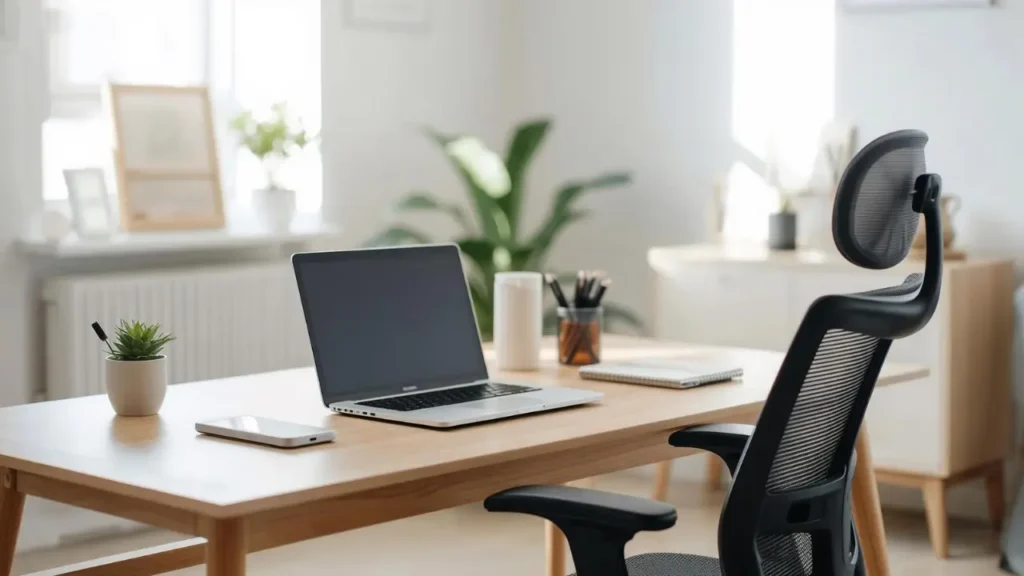
Whether you are creating a minimalist home office, a bedroom workstation, a gaming area, or a compact study space, the right floating desk setup can make your room feel more organized while keeping the workspace functional.
What Is a Floating Desk Setup?
A floating desk is a desktop that is mounted or secured to a wall without conventional legs supporting it from the floor. Depending on the design, it may use brackets, concealed supports, wall rails, cabinetry, or other mounting systems.
Because there are no traditional desk legs occupying the floor beneath the desktop, a wall-mounted desk can create a visually lighter appearance and leave more open floor space.
Floating desks are available in many styles and materials, from simple wood slabs to sophisticated built-in workstations with drawers and shelving.
They can also be fixed permanently or designed as fold-down work surfaces for rooms where flexibility is important.
Floating Desk vs. Traditional Desk
| Feature | Floating Desk | Traditional Desk |
|---|---|---|
| Floor usage | Low | Higher |
| Mobility | Limited | Easy to move |
| Storage | Usually separate | May have built-in storage |
| Appearance | Open and streamlined | More substantial |
| Installation | Requires wall support | Usually simpler |
| Small-space potential | High | Depends on dimensions |
The main advantage is space efficiency, but that comes with a tradeoff: a floating desk is less portable and requires appropriate wall support.
Why Choose a Floating Desk Setup?
A floating workspace can be a practical solution when floor space is limited or when you want a cleaner-looking room.
Saves Valuable Floor Space
One of the biggest reasons to choose a floating desk is the reduced footprint.
Without traditional legs, the area underneath the desktop remains open. This can make it easier to move a chair, clean the floor, or use the space for another purpose.
In a small room, every bit of open floor area can make the workspace feel less crowded.
Creates a More Open-Looking Room
Traditional desks can visually divide a room. A wall-mounted desk tends to have a lighter appearance because the floor remains visible underneath it.
This can be especially effective in minimalist interiors where visual simplicity is important.
Works Well in Small Rooms
A compact floating desk can fit into areas where a full-size office desk would be difficult to place.
An unused wall section, bedroom corner, hallway nook, or space beneath shelving can potentially become a functional workstation.
Supports a Minimalist Aesthetic
Floating desks naturally work with minimalist design because they eliminate unnecessary visual elements.
A simple desktop, a monitor, a task light, and carefully managed cables can be enough to create a polished workspace.
Makes Vertical Space More Useful
A floating desk can be paired with shelves, cabinets, pegboards, or wall-mounted organizers.
This allows you to use the wall above the desk for storage instead of consuming additional floor space.
Can Simplify Floor Cleaning
With no conventional desk legs in the way, cleaning underneath the workspace can be easier.
This is a small benefit, but it can be useful in bedrooms, apartments, and other compact spaces.
Important Limitations to Consider
Floating desks are not ideal for every situation.
Potential limitations include:
- Limited mobility
- Wall compatibility requirements
- Weight and load considerations
- Installation requirements
- Potentially less built-in storage
- Less flexibility if you frequently rearrange furniture
A traditional desk may be a better choice if you move frequently or do not have a suitable wall for secure installation.
How to Plan a Floating Desk Setup
Good planning is essential before choosing a desktop or mounting system.
Measure the Available Wall
Start by measuring the area where you want to install the desk.
Consider:
- Wall width
- Desk depth
- Ceiling height
- Door swing
- Window placement
- Outlet locations
- Chair clearance
- Nearby furniture
Do not measure only the desktop itself. Think about the entire workstation, including your chair, monitor, shelves, lighting, and storage.
A desk may physically fit on a wall while still being uncomfortable to use because there is not enough space for the chair.
Choose the Right Desk Depth
Desk depth should match how you intend to use the workspace.
A laptop-only workstation may require less surface area than a setup with multiple monitors, speakers, notebooks, or gaming equipment.
Consider your typical activities:
- Laptop-only work
- Writing
- Single-monitor work
- Dual-monitor work
- Gaming
- Drawing or creative work
If you use multiple pieces of equipment, prioritize enough usable surface area rather than choosing the shallowest possible desktop simply to save space.
Consider Desk Height
There is no single desk height that works perfectly for every person.
Your ideal arrangement depends on your chair, body proportions, equipment, and preferred posture.
When planning the setup, make sure your arms can rest comfortably while using the keyboard and mouse and that your legs have enough room beneath the desktop.
Check the Wall Structure
The wall itself is one of the most important considerations.
Depending on your home, you may be working with:
- Stud-framed drywall
- Masonry
- Concrete
- Other wall constructions
The mounting system should be appropriate for the wall type and the expected load.
Consider the combined weight of the desktop, monitors, accessories, shelves, and anything else that will be supported by the installation.
When the wall construction or installation method is uncertain, professional advice can be worthwhile.
Best Floating Desk Setup Ideas
Once the practical foundation is planned, you can choose a style that fits your room.
Minimalist Floating Desk Setup
A minimalist floating desk setup focuses on function without visual clutter.
A simple combination can include:
- A clean desktop
- One monitor
- Minimal accessories
- Hidden cables
- Neutral colors
- A compact task light
Keep only the items you regularly use on the desktop. Store less frequently used accessories in drawers or shelves.
The result is a workspace that feels calm without sacrificing functionality.
Modern Floating Desk Setup
For a modern workspace, combine clean lines with practical technology.
Consider:
- A wood or smooth-finish desktop
- Metal details
- A monitor arm
- Integrated or discreet lighting
- Minimal accessories
- Coordinated storage
A modern floating workstation works especially well with neutral walls and simple architectural details.
Scandinavian Floating Desk Setup
Scandinavian-inspired workspaces often emphasize light colors, natural materials, and simplicity.
Try combining:
- Light wood
- White or soft neutral colors
- Natural light
- Simple decorative objects
- Functional storage
Avoid filling the wall with too many accessories. The strength of this style comes from balance and simplicity.
Japandi Floating Desk Setup
A Japandi workspace combines minimalist organization with warm, natural materials.
Consider:
- Warm wood
- Beige, cream, or other neutral colors
- Minimal decoration
- Natural materials
- Simple storage
- Clean visual lines
A small plant, ceramic accessory, or understated artwork can add personality without making the setup feel busy.
Cozy Floating Desk Setup
A floating desk does not have to feel cold or overly minimalist.
Create a cozy workspace with:
- Warm lighting
- Plants
- Small artwork
- Wood accessories
- Soft decorative elements
- Comfortable seating
The goal is to create warmth while keeping the desktop organized.
Industrial Floating Desk Setup
Industrial styling can work well with floating workstations.
Consider:
- Dark wood
- Metal details
- Black hardware
- Functional shelving
- Raw or textured finishes
Keep the materials visually consistent so the setup feels intentional rather than mismatched.
Floating Desk Setup Ideas for Small Spaces
Small rooms often benefit most from wall-mounted workstations because they can reduce the amount of furniture occupying the floor.
Narrow Floating Desk
A narrow desktop can work well for laptop-based work, journaling, studying, or occasional computer use.
The tradeoff is limited workspace. Before choosing a narrow desk, make sure there is still enough room for the equipment you actually use.
Corner Floating Desk
A corner can provide an efficient location for a workstation.
A corner floating desk can be particularly useful in:
- Bedrooms
- Small offices
- Apartments
- Study areas
Use the two adjoining walls strategically for storage or lighting if the layout allows it.
Floating Desk Under Shelves
Installing shelves above the desk can turn a small wall into a vertical workstation.
Use the shelves for:
- Books
- Office supplies
- Small plants
- Decorative objects
- Storage baskets
Keep frequently used items within easy reach and less frequently used items higher up.
Floating Desk in an Unused Wall Nook
A small wall niche or unused section of a room can become a compact office.
This approach is particularly useful when you do not have enough space for a dedicated office room.
Floating Desk Under a Window
A desk beneath a window can take advantage of natural light.
However, consider:
- Glare
- Window access
- Curtain movement
- Heating or cooling equipment
- Available wall support
If sunlight hits the monitor directly, you may need blinds, curtains, or a different monitor orientation.
Fold-Down Floating Desk
A fold-down desk can be useful when the workspace is needed only occasionally.
When closed, it can reduce the visual and physical footprint of the workstation.
This can be especially useful in:
- Guest rooms
- Small apartments
- Multipurpose rooms
- Compact bedrooms
Floating Desk Setup for a Bedroom
A bedroom workstation should provide enough functionality without making the room feel like a full-time office.
Choose a location that provides comfortable access while maintaining a clear distinction between the sleeping and working areas where possible.
Consider:
- Compact storage
- Cable organization
- Soft lighting
- Appropriate chair placement
- A visually calm color scheme
Small Bedroom Floating Desk
For a small bedroom, choose a desktop that provides the necessary work area without overwhelming the room.
A simple floating desk with one monitor and vertical shelving can provide useful storage while keeping the floor open.
Floating Desk Beside a Wardrobe
The wall beside a wardrobe can sometimes provide an overlooked opportunity for a compact workstation.
Measure carefully to make sure the chair does not interfere with wardrobe doors or drawers.
Floating Desk + Vanity Combination
A floating desk can serve multiple purposes when paired with a mirror and organized storage.
For a dual-purpose setup, keep cables and technology easy to move or conceal so the area can transition between work and personal use.
Floating Desk Setup for a Home Office
A dedicated home office gives you more flexibility to create a larger workstation.
You can incorporate:
- A larger desktop
- Multiple monitors
- Wall storage
- Task lighting
- Office accessories
- Webcam equipment
- Printer or accessory storage
Single-Monitor Home Office
A single monitor leaves more desktop space for writing, notebooks, or other work materials.
Use a monitor arm if appropriate for your desk and mounting arrangement to free additional surface area.
Dual-Monitor Home Office
A dual-monitor setup requires more planning.
Consider:
- Desktop depth
- Monitor positioning
- Available viewing space
- Cable routing
- Equipment weight
- Wall support
Avoid adding more equipment than the desktop and mounting system can comfortably support.
Laptop-Based Workspace
A laptop setup can work particularly well with a compact floating desk.
You can use:
- Laptop stand
- External keyboard
- External mouse
- Small desk lamp
- Cable organizer
When the setup is not in use, accessories can be stored away to maintain a clean appearance.
Work-From-Home Floating Desk
For regular remote work, prioritize comfort over decoration.
Make sure the setup has:
- Adequate workspace
- Comfortable seating
- Appropriate monitor placement
- Good lighting
- Easy access to power
- Effective cable management
- Enough storage for everyday work materials
Floating Desk Setup for Apartments and Rentals
Apartments often have limited floor space, making floating workstations attractive.
However, renters should consider wall restrictions before installing a permanent desk.
Possible approaches include:
- Fold-down desks
- Removable solutions where appropriate
- Compact wall-mounted designs permitted by the property
- Freestanding alternatives that create a similar appearance
Always check rental rules before making permanent changes to walls.
A floating desk can be excellent for an apartment, but installation flexibility should be considered alongside space savings.
Floating Desk Setup With Shelves
Wall shelves can dramatically increase the functionality of a compact desk.
Instead of expanding the desktop horizontally, use the wall vertically.
One Long Shelf Above the Desk
A single shelf can provide space for:
- Books
- Small plants
- Artwork
- Speakers
- Office supplies
Keep the shelf organized so it complements the desk instead of creating visual clutter.
Two-Tier Floating Shelves
Two shelves provide more storage but require careful organization.
Use the lower shelf for frequently used items and the upper shelf for less frequently accessed objects or decoration.
Floating Desk With Pegboard
A pegboard can provide flexible organization for small accessories.
It can hold items such as:
- Headphones
- Cables
- Small tools
- Notes
- Office accessories
Open Shelves for Books and Decor
Open shelving creates an airy appearance but requires regular organization.
Use a combination of books, storage boxes, and a few decorative pieces rather than filling every available space.
Closed Cabinets + Open Shelves
This combination gives you the best of both approaches.
Use closed storage for visually distracting items and open shelving for objects you want to display.
Floating Desk Setup With Storage
Storage becomes particularly important when the floating desktop itself has no drawers.
Useful options include:
- Floating drawers
- Wall cabinets
- Floating shelves
- Baskets
- File storage
- Desk organizers
- Under-desk storage
Storage Comparison
| Storage Option | Best For | Visual Effect |
|---|---|---|
| Floating drawers | Everyday items | Clean |
| Open shelves | Books and decor | Airy |
| Wall cabinets | Hidden storage | Minimal |
| Pegboard | Small accessories | Functional |
| Baskets | Miscellaneous items | Cozy |
Think about storage in terms of access.
Items you use every day should be easy to reach, while seasonal or rarely used items can be placed farther away.
Floating Desk Setup With a Monitor
A monitor can become the visual center of a workstation, so its position matters.
Single-Monitor Setup
A single monitor gives you more flexibility with desktop organization.
Leave enough space for the keyboard, mouse, and other essential items.
Dual-Monitor Setup
Two monitors can provide additional screen space, but they require a larger and carefully planned workstation.
Consider the total width and weight of the equipment before installing the desk.
Monitor Arm Setup
A monitor arm can free desktop space and provide positioning flexibility.
However, the mounting method and desktop construction should be suitable for the monitor arm and its load.
Laptop + Monitor Setup
This is a useful arrangement for people who want a larger screen while continuing to use a laptop.
A laptop stand can help create a cleaner workstation and provide additional room for the keyboard.
Ultrawide Monitor Setup
An ultrawide monitor can create a streamlined appearance by replacing multiple screens with one wide display.
Make sure the desk provides enough depth and that the wall-mounted support system is appropriate for the overall equipment load.
Floating Desk Setup Cable Management
Cable clutter can quickly undermine an otherwise beautiful minimalist workspace.
Good cable management should make the setup easier to use as well as cleaner to look at.
Hide Power Cables
Plan power access before installing the desk.
Where possible, position the desk near suitable outlets so you do not need long cables running across the room.
Route Cables Under the Desktop
Under-desk cable routing can keep wires away from the visible surface.
Use appropriate clips or cable-management systems to keep them organized.
Use Cable Clips
Cable clips can help route smaller cables along the back or underside of the desktop.
They are particularly useful for keeping charging cables accessible without allowing them to fall behind the desk.
Add a Cable Management Tray
A cable tray can collect multiple wires underneath the desktop.
This can be especially useful for setups with:
- Monitors
- Laptop chargers
- Speakers
- Gaming equipment
- Multiple peripherals
Organize Chargers
Instead of allowing chargers to accumulate on the desktop, create one dedicated charging area.
A drawer, cable box, or organized shelf can help keep unused chargers out of sight.
Create a Dedicated Charging Area
A dedicated charging area makes it easier to find cables while keeping the main workstation clear.
Think about cable routing during the planning stage rather than treating it as an afterthought.
Lighting Ideas for a Floating Desk Setup
Lighting affects both the appearance and usability of a workspace.
A balanced setup can combine ambient, task, and accent lighting.
Natural Light
Natural light can make a workspace feel brighter and more comfortable.
However, direct sunlight on a screen can create glare, so consider the direction of the window and the position of your monitor.
Desk Lamp
A compact task lamp can provide focused illumination without taking up too much space.
Choose a lamp that fits the scale of the floating desktop.
Wall Sconces
Wall-mounted sconces can be useful when desktop space is limited.
They also reinforce the wall-mounted aesthetic of the desk.
Under-Shelf Lighting
If you have shelves above the desk, lighting installed beneath them can illuminate the work surface without consuming desktop space.
LED Accent Lighting
LED lighting can add visual interest to gaming and modern workspaces.
Use it as accent lighting rather than relying on decorative LEDs as the primary source of workspace illumination.
Layered Workspace Lighting
A well-rounded setup can combine:
- Ambient lighting for general room illumination
- Task lighting for focused work
- Accent lighting for visual atmosphere
The goal is a comfortable workspace rather than simply a brightly lit desk.
Ergonomics for a Floating Desk Setup
A beautiful workspace is not useful if it is uncomfortable.
When designing an ergonomic desk setup, pay attention to the relationship between the desktop, chair, monitor, keyboard, and mouse.
Consider:
- Comfortable desk height
- Monitor position
- Keyboard placement
- Mouse placement
- Chair height
- Foot support
- Screen glare
- Legroom
- Ability to change posture
Floating Desk Setup for Long Work Sessions
If you regularly spend several hours at your desk, comfort should become a major design priority.
Choose a chair that supports your preferred working posture and make sure the desk provides enough room for comfortable leg positioning.
The monitor should also be positioned so you can work without constantly looking too far upward or downward.
Do not sacrifice ergonomic usability simply to create a more visually minimal arrangement.
Best Materials for a Floating Desk
The desktop material affects appearance, durability, weight, and installation considerations.
| Material | Look | Key Consideration | Good For |
|---|---|---|---|
| Solid wood | Warm and natural | Can be heavy | Premium setups |
| Plywood | Modern | Quality varies | DIY/custom |
| MDF | Smooth | Moisture sensitivity | Painted desks |
| Laminate | Versatile | Depends on construction | Budget setups |
| Bamboo | Natural | Quality varies | Lightweight/natural designs |
When choosing a material, consider desktop weight + mounting method + wall construction together.
A heavy desktop may require a more substantial support system than a lightweight alternative.
Best Colors for a Floating Desk Setup
Color can determine whether a workstation blends into the room or becomes a visual focal point.
White
White desks work well with minimalist, Scandinavian, and contemporary interiors.
They can make a compact workstation feel visually light.
Natural Oak
Oak tones add warmth while maintaining a clean appearance.
Pair natural oak with white, cream, beige, or muted green.
Walnut
Walnut brings a richer and more sophisticated appearance.
It works especially well with warm white walls, charcoal accents, and black hardware.
Black
Black floating desks can create a strong modern or industrial look.
Balance darker desktops with lighter walls or warm natural materials if you want to avoid making the workspace feel visually heavy.
Greige
Greige can provide a soft neutral appearance that works well with modern and minimalist interiors.
Two-Tone Designs
Combining a wood desktop with white, black, or neutral storage can create contrast without becoming overly decorative.
Color Pairing Table
| Desk Color | Complementary Colors |
|---|---|
| White | Beige, gray, natural wood |
| Oak | White, cream, sage |
| Walnut | Warm white, charcoal |
| Black | White, gray, wood |
| Natural wood | Cream, beige, muted green |
Gaming Floating Desk Setup
A floating desk can work well for gaming when the desktop provides enough space and the mounting system is appropriate for the equipment.
Think about:
- Monitor placement
- Keyboard space
- Mouse movement
- Headset storage
- Controller storage
- Cable management
- Lighting
- Wall-mounted accessories
- Equipment weight
Minimal Gaming Floating Desk
A minimalist gaming setup can use one monitor, a clean desktop, hidden cables, and a small number of accessories.
This works well if you want gaming functionality without a visually busy wall.
Dual-Monitor Gaming Setup
A dual-monitor arrangement requires careful planning for width, depth, monitor support, and cable routing.
Keep the center of the workspace organized so the keyboard and mouse have enough room.
RGB Gaming Floating Desk
RGB lighting can create an energetic gaming atmosphere.
Consider placing accent lighting behind the monitor, beneath shelves, or underneath the desktop so the light adds atmosphere without dominating the entire room.
DIY Floating Desk Setup
A DIY floating desk can be a rewarding project, particularly when you want a custom size or finish.
A general process includes:
- Measure the wall.
- Select the desktop.
- Identify appropriate mounting points.
- Choose hardware suitable for the wall.
- Install the support system.
- Secure the desktop.
- Check stability.
- Organize cables.
- Add storage and lighting.
When DIY Makes Sense
DIY can make sense when:
- You understand the wall construction.
- You can accurately measure and install the support system.
- The desktop and equipment requirements are straightforward.
- You have the appropriate tools and skills.
When Professional Installation Is Better
Professional installation may be appropriate when:
- The wall structure is uncertain.
- The desk will carry substantial weight.
- You are installing into difficult masonry.
- The desk is part of a built-in renovation.
- You are unsure whether the mounting method is suitable.
A floating desk should be stable and securely supported. A beautiful finish is not a substitute for proper installation.
Floating Desk Setup Mistakes to Avoid
Even a stylish workstation can become frustrating if basic planning is overlooked.
1. Choosing a Desk That Is Too Shallow
A very shallow desktop may save space but leave insufficient room for your monitor, keyboard, mouse, and other essentials.
2. Ignoring Wall Construction
Different walls require different mounting approaches. Do not assume that every wall can support the same installation method.
3. Exceeding the Mounting System’s Load Capacity
Consider the combined weight of the desktop, monitors, accessories, and storage.
4. Poor Cable Management
Visible tangled cables can make an otherwise organized workstation look cluttered.
5. Blocking Outlets
Make sure the desk and storage do not make power outlets difficult to access.
6. Insufficient Chair Clearance
The chair needs enough space to move comfortably beneath and around the desk.
7. Poor Monitor Placement
A monitor positioned poorly can make long work sessions less comfortable.
8. Overloading Shelves
Wall shelving should also be used according to its construction and support capacity.
9. Using Excessive Decoration
Too many decorative items can reduce useful workspace and create visual clutter.
10. Ignoring Lighting
A beautiful desk in a poorly lit corner may be less pleasant to use.
11. Prioritizing Appearance Over Comfort
A setup should look good, but it should also support comfortable everyday use.
12. Forgetting Future Equipment Needs
Think about whether you may add another monitor, speakers, storage, or other equipment later.
How to Make a Floating Desk Setup Look More Stylish
A stylish workspace does not need lots of decoration.
Keep the Desktop Visually Simple
Leave enough empty space for actual work.
A few carefully selected items usually look more intentional than a desktop filled with accessories.
Coordinate Wood and Metal Finishes
If your desktop is natural wood, consider repeating the same tone elsewhere in the room.
Black brackets or hardware can also coordinate with monitor arms, lighting, or other fixtures.
Use Matching Storage
Matching shelves, drawers, baskets, or boxes can make a workstation look more cohesive.
Hide Unnecessary Cables
Cable management is one of the simplest ways to improve the visual appearance of a floating workspace.
Add One or Two Decorative Elements
Consider:
- A small plant
- One piece of artwork
- A ceramic object
- A simple desk accessory
Avoid turning the workstation into a display shelf.
Use Plants or Artwork
Plants can add natural texture, while artwork can help integrate the desk into the room.
Choose pieces that complement the existing interior rather than competing with the workspace.
Layer Warm Workspace Lighting
Combining practical task lighting with softer ambient or accent lighting can make the workspace feel more comfortable after dark.
Good organization should create the aesthetic instead of using decoration to hide clutter.
Floating Desk Setup Ideas by Room
Different rooms require different priorities.
| Room | Setup Direction | Main Priority |
|---|---|---|
| Bedroom | Narrow floating desk | Space |
| Small office | Wall-mounted workstation | Storage |
| Living room | Minimal floating desk | Visual integration |
| Apartment | Compact/fold-down design | Flexibility |
| Gaming room | Deeper reinforced desk | Equipment space |
| Study area | Desk + shelving | Organization |
| Kids’ room | Appropriate compact setup | Safety and usability |
The same desk style may work differently depending on how the room is used.
For example, a living-room workstation may need to blend into the decor, while a dedicated office can prioritize equipment and storage.
Floating Desk Setup on a Budget
You do not necessarily need an elaborate built-in workspace to create a functional floating desk.
Budget-Friendly Options
Consider:
- A simple desktop
- Appropriate basic mounting hardware
- Existing shelves
- Affordable task lighting
- Simple cable clips
- Repurposed organizers
The important point is to save money on decorative elements rather than compromising the structural foundation of the desk.
Where to Prioritize Quality
Prioritize:
- Mounting hardware
- Desktop construction
- Comfortable chair
- Monitor support
- Task lighting
A cheaper decorative accessory is easy to replace. An unsuitable mounting system is a much more important concern.
How to Build a Floating Desk Setup Step by Step
Once you have selected your style and equipment, use this planning sequence.
Step 1: Define the Purpose
Decide whether the desk is primarily for:
- Work
- Study
- Gaming
- Creative work
- Occasional use
Your intended use determines the required desk size and equipment.
Step 2: Measure the Space
Measure the wall and surrounding area.
Account for doors, windows, outlets, furniture, and chair movement.
Step 3: Choose Desk Dimensions
Select a desktop with enough depth and width for the equipment you actually use.
Step 4: Select the Material
Choose a material based on appearance, weight, durability, budget, and installation requirements.
Step 5: Plan Wall Support
Determine the wall construction and choose an appropriate support system.
Step 6: Plan Power and Cable Access
Think about where power cables will run before installing the desktop.
Step 7: Install the Desk
Secure the support system and desktop according to the appropriate installation method.
Step 8: Add Monitor and Accessories
Position your monitor, keyboard, mouse, speakers, and other essential equipment.
Step 9: Organize Cables
Route cables so they remain accessible but do not create unnecessary visual clutter.
Step 10: Add Lighting and Decor
Introduce task lighting, accent lighting, plants, artwork, or other decorative details.
Step 11: Test Stability and Usability
Before fully loading the workstation, check that everything is stable and that the workspace is comfortable to use.
Step 12: Make Ergonomic Adjustments
Fine-tune your chair, monitor, keyboard, mouse, and other equipment based on how the workstation feels during use.
Choose a Floating Desk Setup Based on Your Goal
The best configuration depends on what you want the workspace to accomplish.
| Goal | Setup Direction |
|---|---|
| Save floor space | Narrow floating desk |
| Create a minimalist office | Simple desktop + hidden cables |
| Add storage | Desk + floating shelves |
| Gaming | Deeper desktop + monitor support |
| Bedroom workspace | Compact and visually quiet |
| Rental-friendly workspace | Fold-down or removable solution |
| Stylish home office | Wood desktop + coordinated shelving |
| Maximum organization | Desk + drawers + vertical storage |
Use this table as a starting point rather than a strict formula. The right setup still depends on the room, equipment, wall, and personal preferences.
Frequently Asked Questions About Floating Desk Setups
Is a floating desk good for a small room?
Yes, a floating desk can be useful in a small room because it can reduce the amount of floor space occupied by traditional desk legs. A compact desktop can also fit into wall areas where a full-size desk would be difficult to place.
However, the desk still needs enough surface area and surrounding clearance to be comfortable.
How deep should a floating desk be?
The appropriate depth depends on how you use the desk. A laptop-only setup may need less space than a dual-monitor workstation, gaming setup, or creative workspace.
Choose enough depth for your equipment while leaving comfortable room for your keyboard, mouse, and other essentials.
Can a floating desk hold two monitors?
A floating desk can accommodate two monitors if the desktop dimensions, mounting system, wall construction, and overall load capacity are appropriate.
Plan the monitor positions and total equipment weight before installation.
Are floating desks sturdy?
A floating desk can be sturdy when it is properly designed and securely mounted using a support system appropriate for the wall and expected load.
Stability depends on the desktop, mounting method, wall construction, hardware, and total weight.
Can you install a floating desk on drywall?
A floating desk can potentially be installed on drywall, but the appropriate mounting method depends on the wall construction and where suitable structural support is available.
Do not assume that a generic anchor is appropriate for every floating desk. The support system should be selected for the actual wall and expected load.
Is a floating desk ergonomic?
A floating desk can be ergonomic when its height, depth, monitor position, chair, and equipment placement are appropriate for the user.
The fact that a desk is wall-mounted does not automatically make it ergonomic.
How do you hide cables on a floating desk?
You can route cables underneath the desktop, use cable clips, install a cable-management tray, organize chargers, and create a dedicated charging area.
Planning cable access before installation usually makes cable management easier.
Can a floating desk work in a bedroom?
Yes. A floating desk can be particularly useful in a bedroom where floor space is limited.
A compact desktop, vertical storage, soft lighting, and a visually calm design can help the workstation integrate with the room.
What is the best material for a floating desk?
There is no single material that is best for every situation. Solid wood, plywood, MDF, laminate, and bamboo can all work depending on the desired appearance, weight, construction, budget, and mounting system.
The material should be considered together with the wall and support system.
Can renters use a floating desk?
Renters may be able to use a floating desk if their lease and property rules permit the required wall installation.
Where permanent modifications are not allowed, a fold-down or freestanding alternative may provide a similar space-saving effect without requiring the same type of wall modification.
Final Thoughts
A floating desk setup can transform an unused wall into a practical and attractive workspace while keeping valuable floor space open.
The most successful designs balance more than appearance. Desk dimensions, wall support, equipment weight, storage, lighting, cable management, and ergonomics all contribute to how well the workspace performs.
For small rooms, a narrow desk with vertical shelving can provide an efficient solution. For a dedicated home office, a larger desktop with monitor support and organized storage may be more appropriate. In a bedroom, a visually quiet design can help the workspace blend naturally with the rest of the room.
Most importantly, do not sacrifice comfort or structural suitability for aesthetics. A beautiful floating workstation should also be stable, organized, comfortable, and appropriate for the way you actually work.
With thoughtful planning, even a small section of wall can become a highly functional floating desk setup that makes your workspace feel cleaner, more organized, and better suited to modern living.
